
A maximum 90 seconds Animation of the Completed 3D Scene is required.
25%
PROJECT 3

1.Save the Rhino 3-D Model file as SketchUp(.skp)

1.Choose a template. 2.Import the SketchUp file.

1.Place the building. 2.Move/Rotate the building to fit in the site context.

1.Select the object. 2.Choose any material.

1.Open Nature Library. 2.Choose any plant.

1.Insert the plant. 2.Move/Rotate/Resize the plant.

1.Done with the surrounding.

1.Shoot to create a continuous scene.

1.Open Movie Effect library. 2.Add in 'Sun' and 'Shadow'.

1.Adjust the sun height/sun heading/shadow brightness and etc.

1.Add keyframe into the scene. *Different setting*
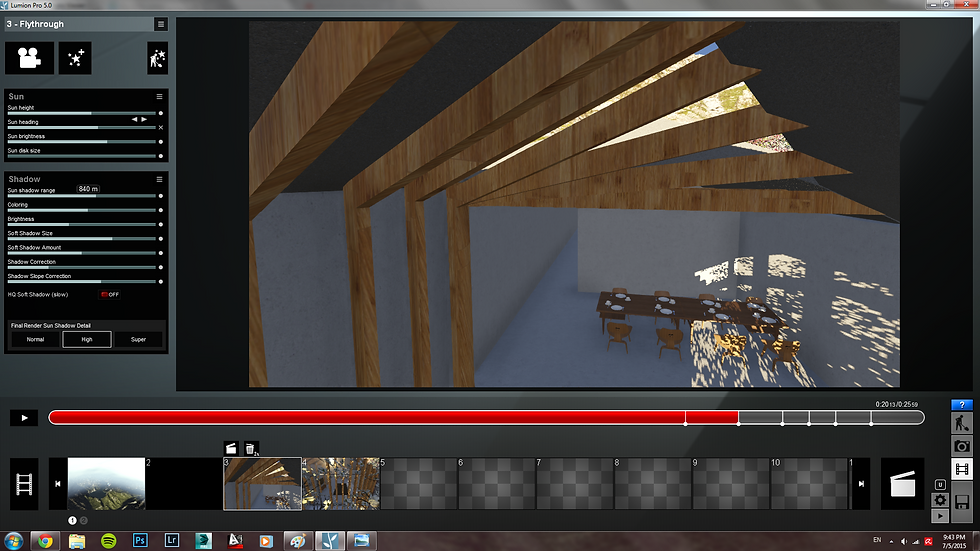
1.Add keyframe into the scene. *Different setting*

1.Add keyframe into the scene. *Different setting*

1.Add keyframe into the scene. *Different setting*

1. Ready to render.

1.Insert the video clips into Sony Vegas.

1.Add sound effect.