
Still Rendering with Materials, Lights, Camera Views with INTERIOR SPACES.
25%
PROJECT 2B

1. Search for the models at achieve3d.net. 2.Download.

1.Tools-Display Floater. 2.Select object. 3.Hide the external walls and roof to easy the furniture placing.

1. Drag the model (3DS File) into 3D max. 2.Scale to the suitable size. 3.Move object.

1.Select the object. 2.Press Ctrl+V as the copy method.

1. Drag the material into the object.

1. Modifiers-UV Coordinates-UVW Map - Choose the mapping which suits the texture with the subject.

1.Create-Systems-Daylights-Manual. 2.Adjust the lighting by using Move tool.
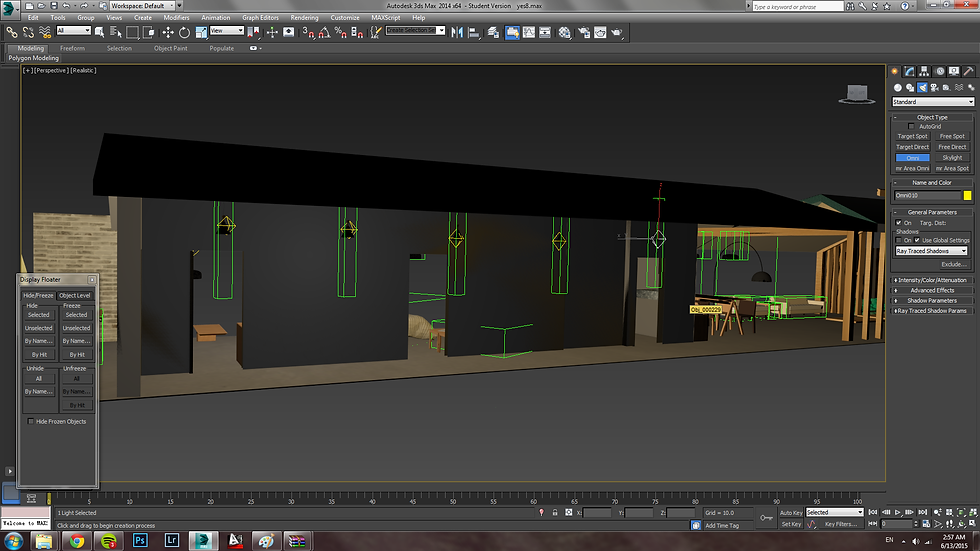
1.Create-Lights-Standard-Omni-Multiplier:3000.00 2.Place Omni on each artificial light.

1.Cameras-Target- Set up a good photographic composition on plan.

1.Render Setup-Output Size (HDTV)-Assign Renderer(NVIDIA mental ray)-Render

